Email Sequences is now live in Beta Labs, enabling users to automate threaded email conversations with delays, conditions, and smart scheduling.
Following strong interest during Private Beta - with 60+ users enrolled and continued access requests - early feedback has validated strong product-market fit and demand.
Key Features
● Single-threaded automated email conversations
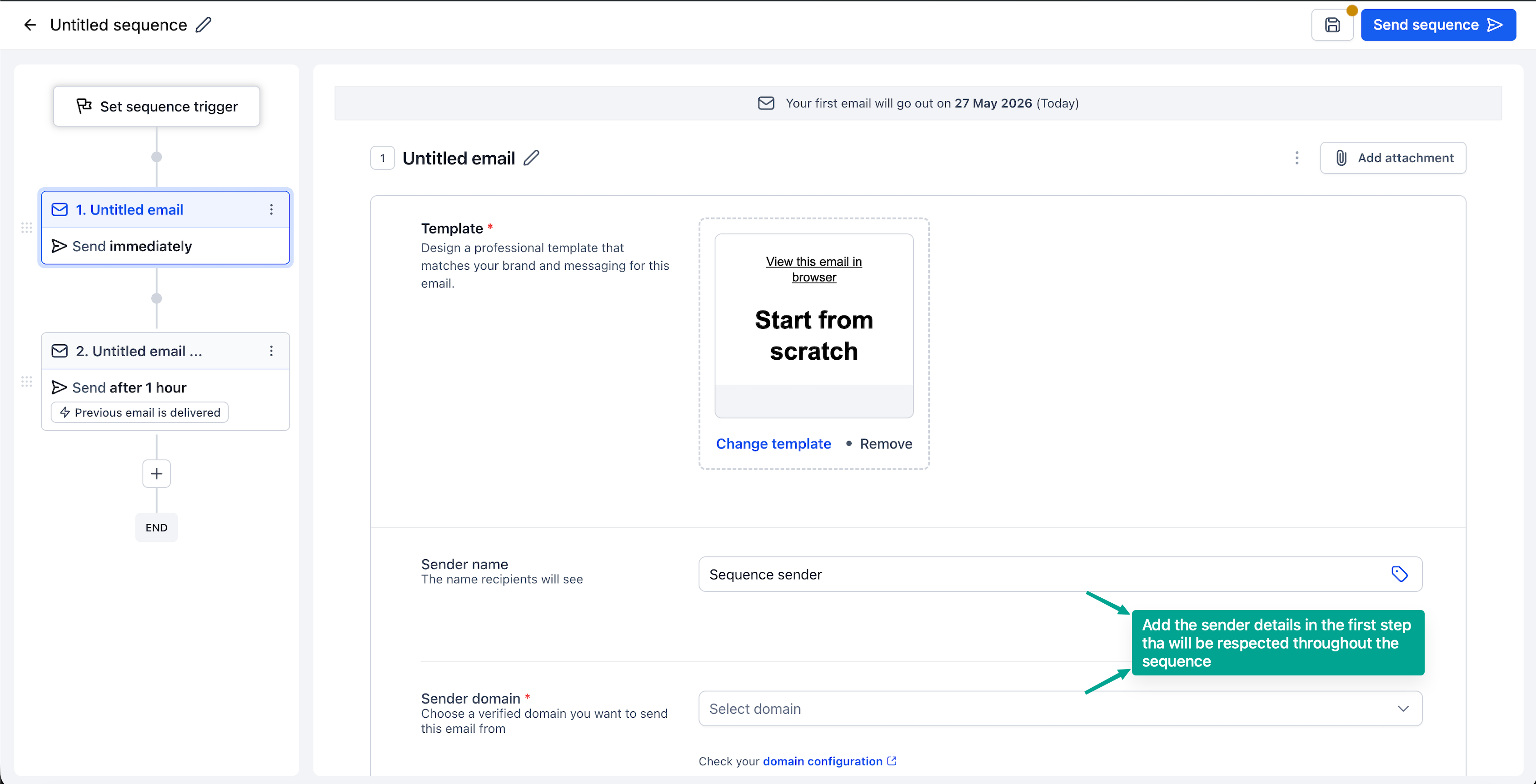
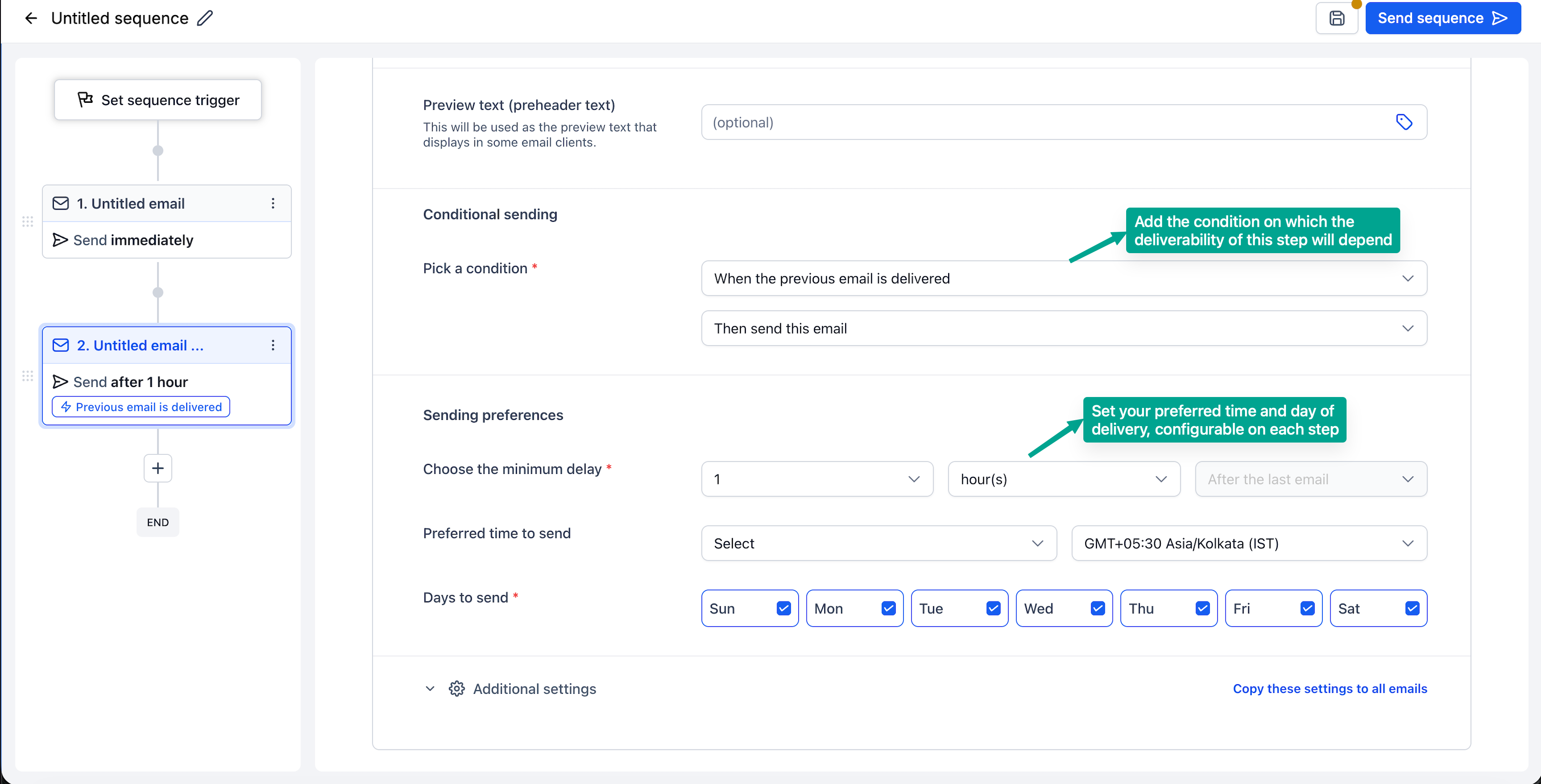
● Conditional sending based on open/delivery status
● Stop on Reply automation
● Support for designed and plain text emails
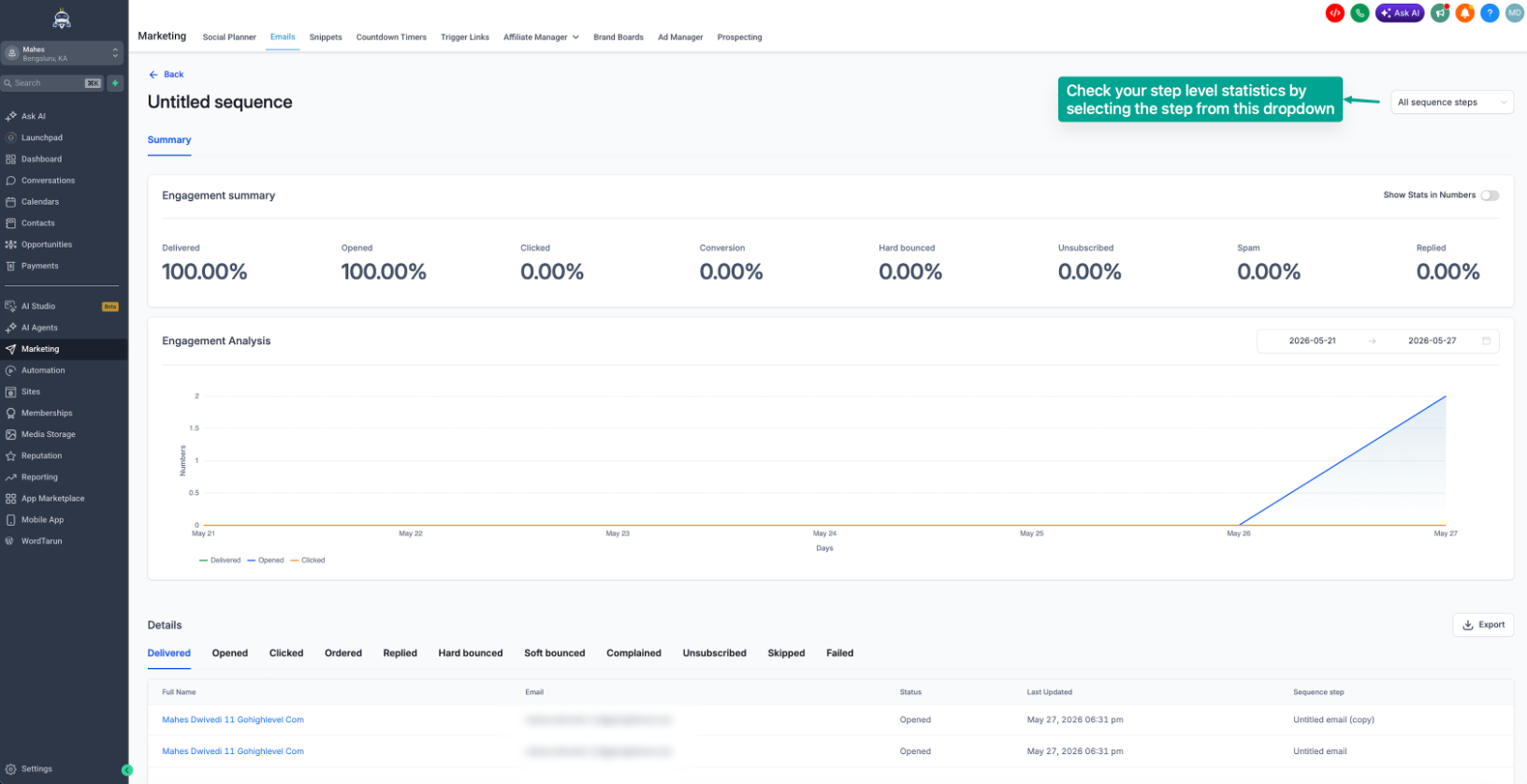
● Sequence and step-level analytics
Impact
● Automate follow-ups, reminders, and nurture campaigns
● Improve engagement with behavior-based outreach
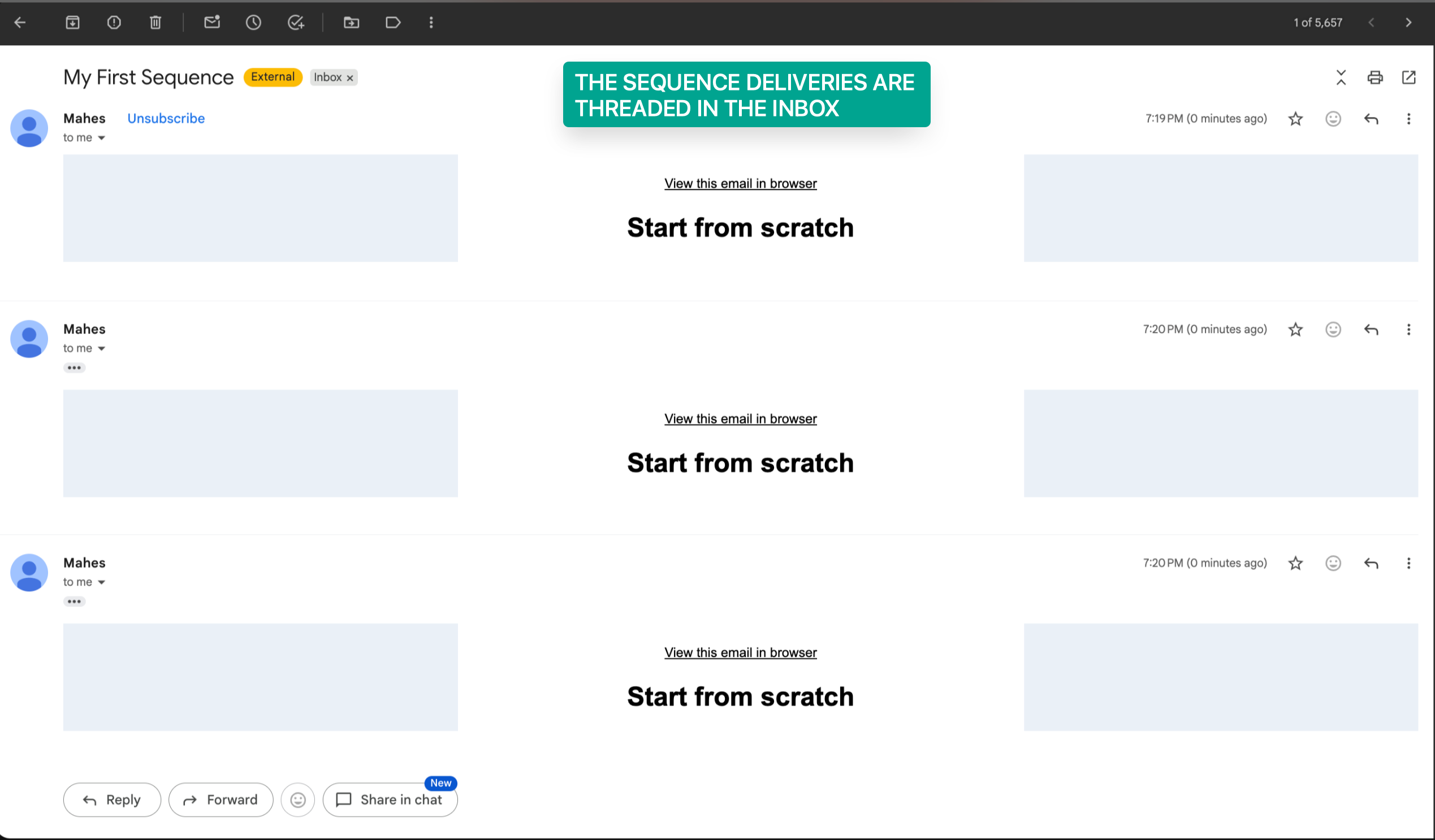
● Maintain conversation context with threaded emails
● Easier to create email automation without having to learn automations
How to Access
1. Go to Settings → Beta Labs
2. Enable Email Sequences
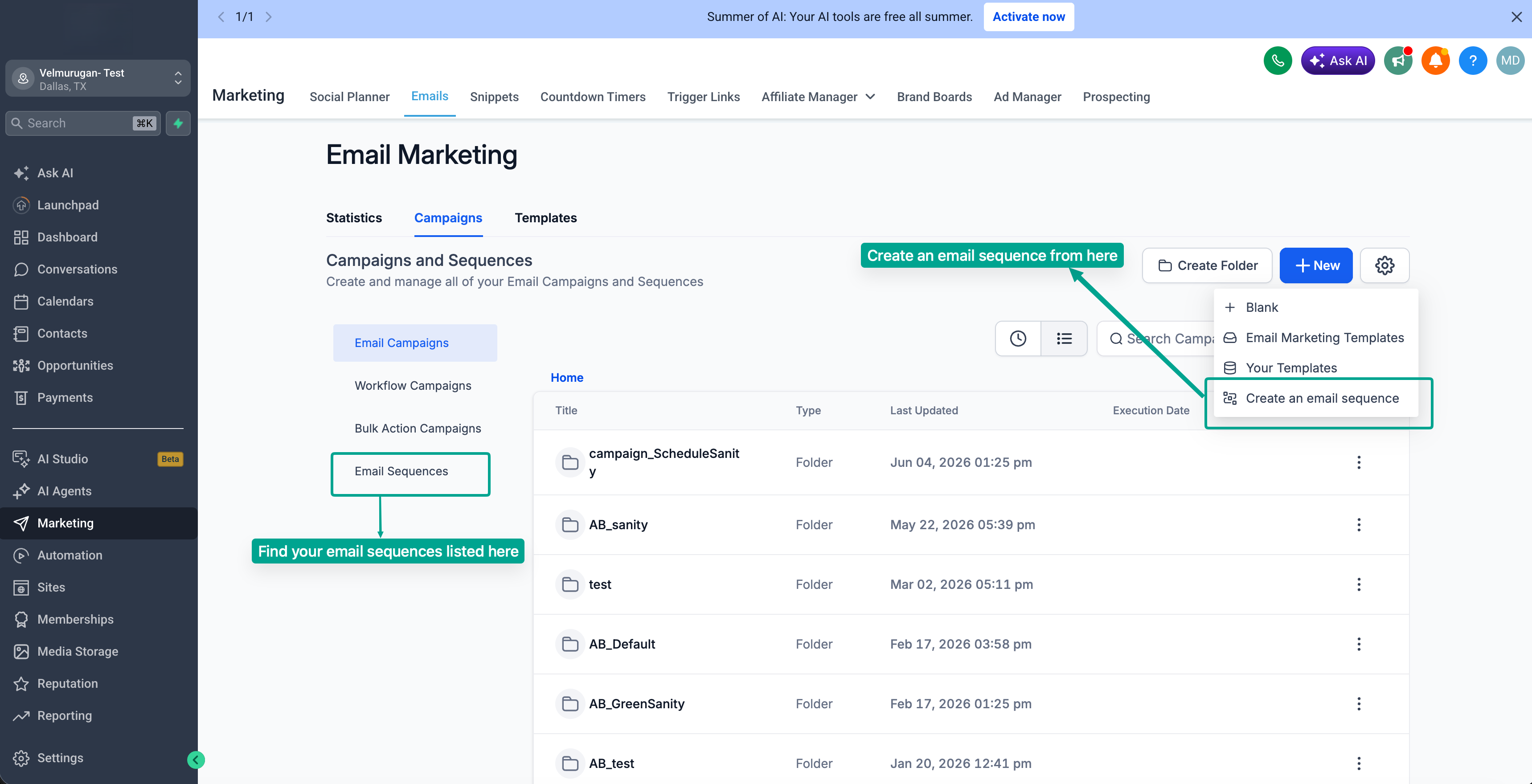
3. Navigate to Marketing → Email → Campaigns
4. Click Create New Sequence
5. Configure your audience, delays, conditions, and email steps
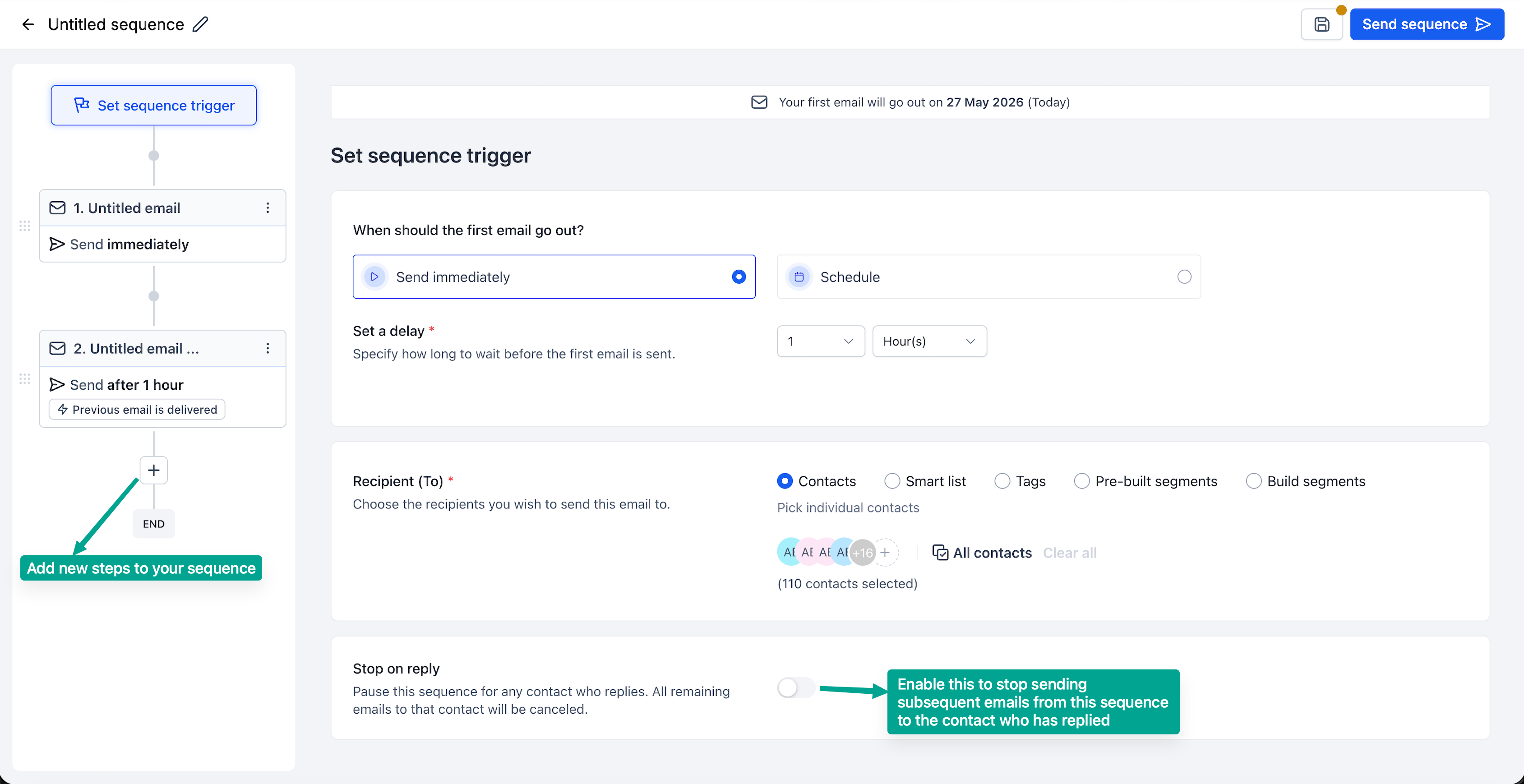
6. Enable Stop on Reply and launch your sequence
7. Click on Statistics to check overall metrics and step level metrics.
Coming soon
- En-roll into sequence through workflow
- Create sequence using Email AI
- A/B Testing for each step.
Was this article helpful?
That’s Great!
Thank you for your feedback
Sorry! We couldn't be helpful
Thank you for your feedback
Feedback sent
We appreciate your effort and will try to fix the article